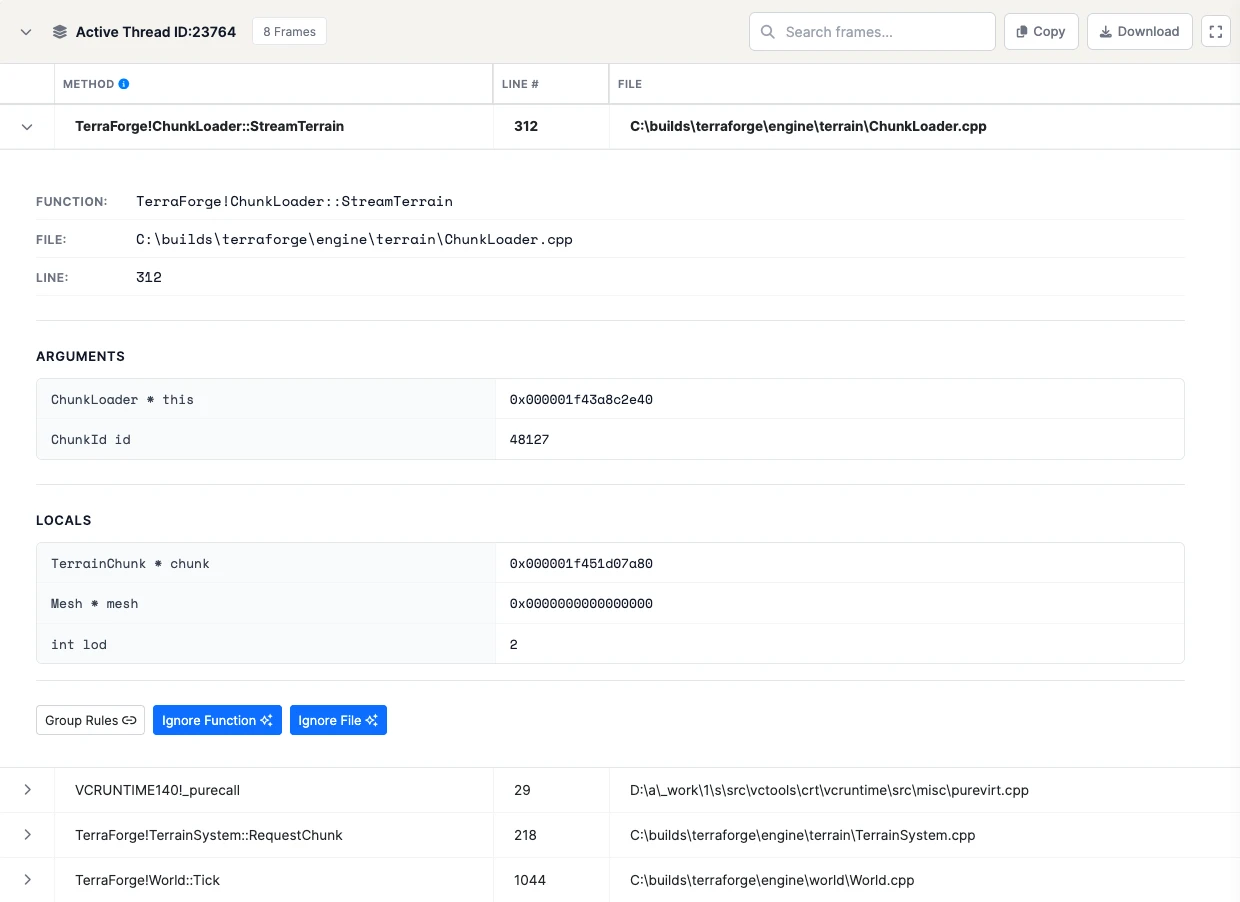
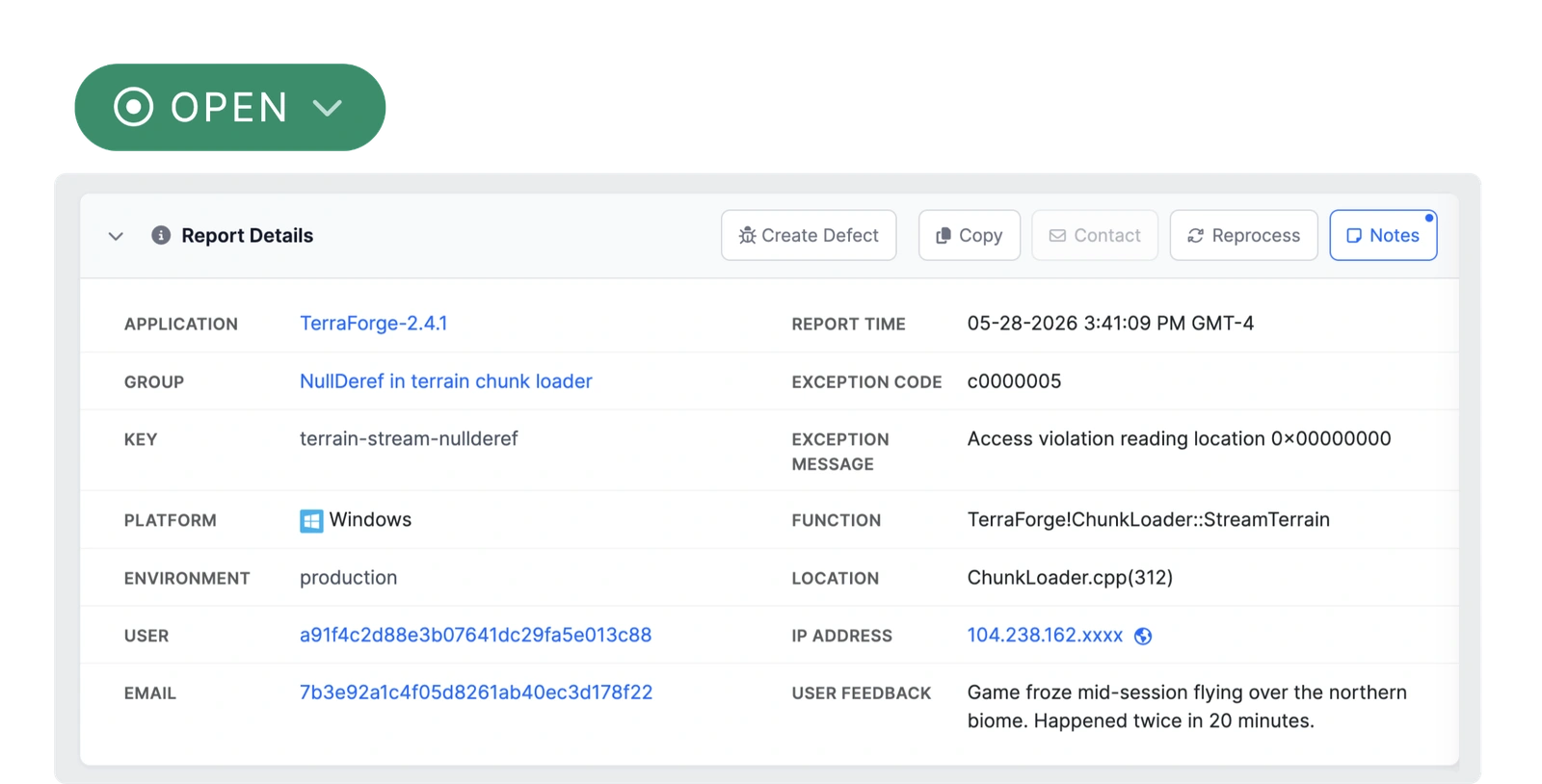
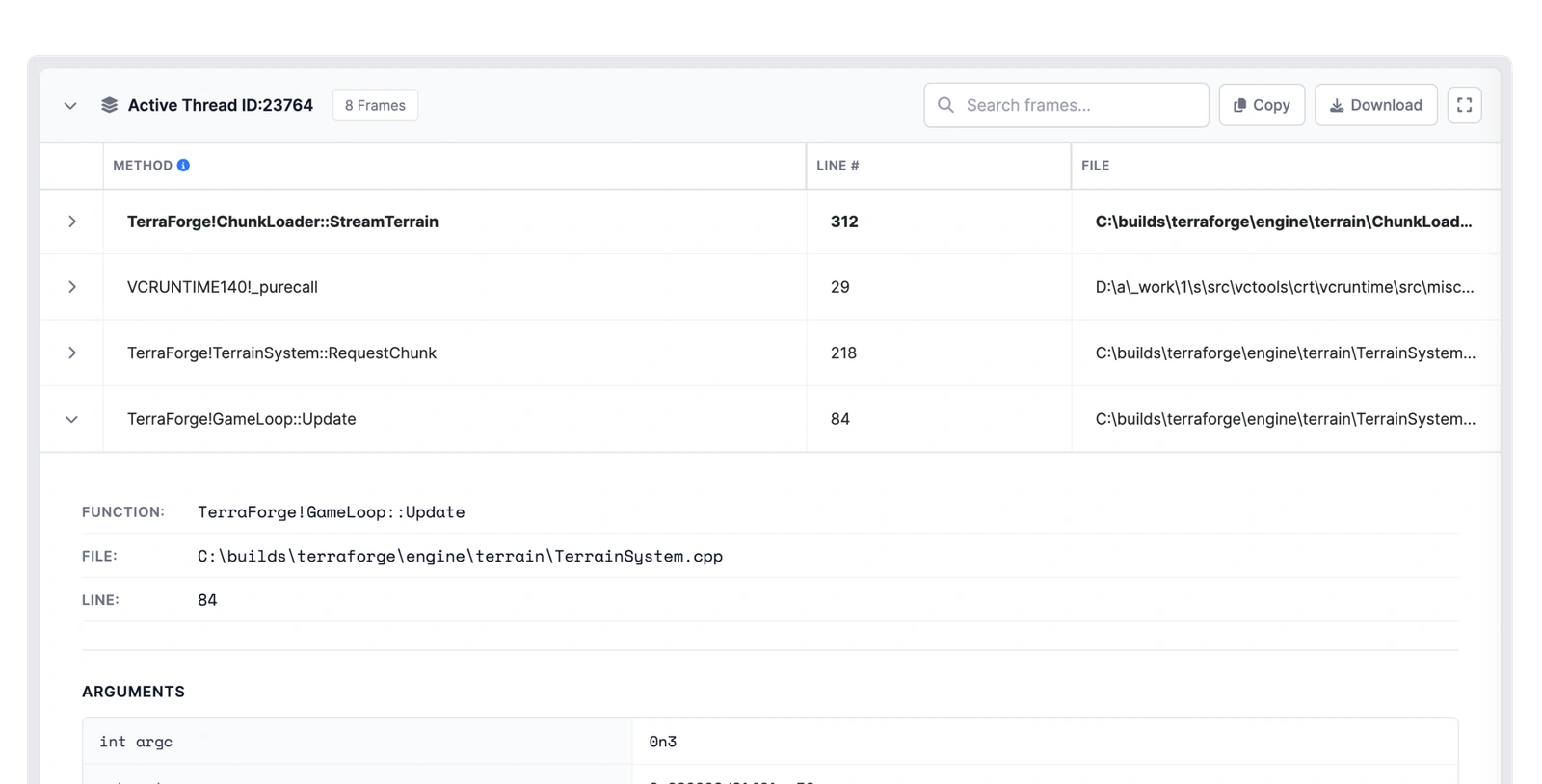
BugSplat matches the minidump against the symbols you uploaded with that
build and hands you the thread, the frame, and the source line that
crashed. Nobody has to reproduce it first.
The life of one crash
Minidump receivedlive
Symbols matched2.4.0
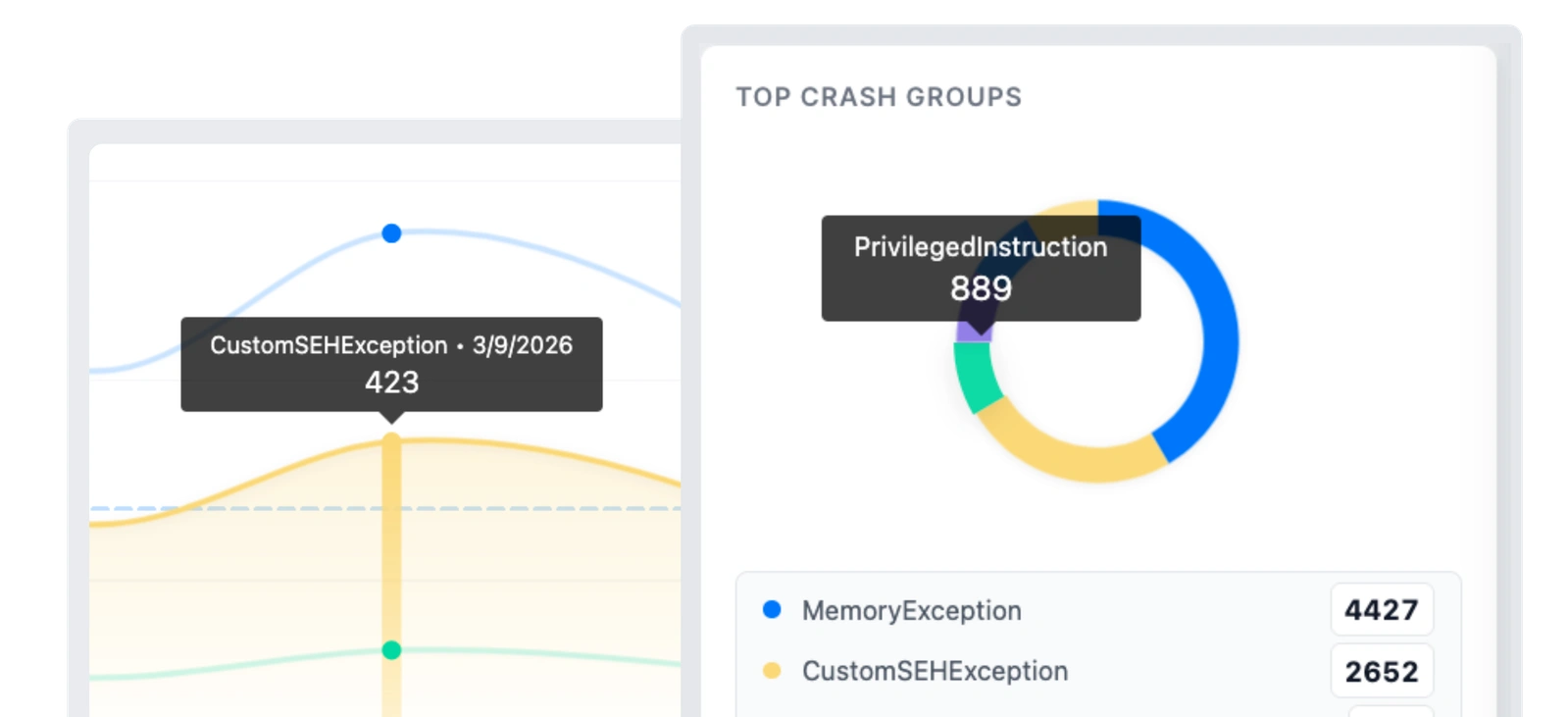
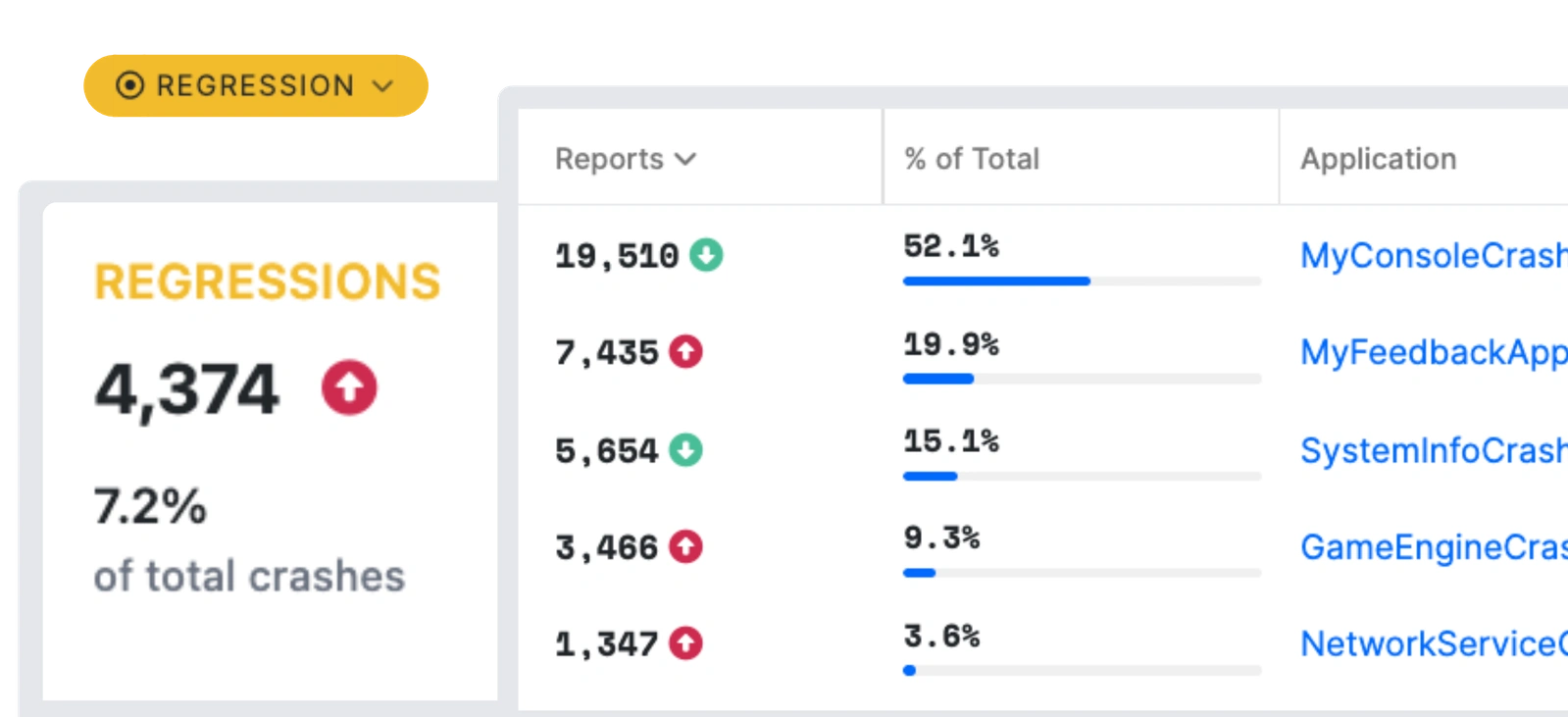
Grouped4,374 reports
AssignedJira
Fixed in 2.4.1verified
Release night
Built for the night you ship.
Here is the night you ship, in four steps. Crash reports come in.
BugSplat sorts them. You fix the one that matters. Then you find out
whether the fix held. The steps are the same for a major release and
for patching one bug on a Tuesday.
Crash reporting for game consoles, custom engines, and native code.
BugSplat came out of the C++ world and has spent twenty years on
native crash reporting: minidumps, symbols, custom engines, and
game consoles. The other 30+ SDKs, from web to mobile to backend,
report into the same dashboard with the same grouping and one login.
A test crash in minutes. A real stack the same day.
Pick your platform and start with the defaults. If you get stuck, contact support and you'll reach the engineers who build BugSplat.
Link BugSplat.lib, include BugSplat.h, and create one BugSplat object with your Database, Application, and Version. The next unhandled crash uploads as a minidump.
That's it. See the Windows docs
for symbol upload, production setup, and the full integration guide.
Add the BugSplat plugin from Fab, open Edit > Project Settings, and fill in Database, Application, and Version in the BugSplat section. Package with Include Crash Reporter turned on, and Unreal's crash reporter sends your crashes to BugSplat.
That's it. See the Unreal Engine docs
for symbol upload, production setup, and the full integration guide.
Install the package, open Edit > Project Settings > BugSplat, create an options asset, and enter your database. BugSplat starts before your first scene loads, so there is nothing to add to a scene. In Package Manager, select BugSplat, open Samples, and import my-unity-crasher. Open its Sample scene, include it in your build, and trigger a crash from its Crash Scenarios menu in a built player to see a report on your dashboard.
That's it. See the Unity docs
for symbol upload, production setup, and the full integration guide.
Install the BugSplat NuGet package and create one BugSplat instance at startup. Unhandled exceptions, native crashes, and hangs are captured from then on. Register the WER helper from your installer for the fail-fasts, and upload symbols with each build.
That's it. See the .NET docs
for symbol upload, production setup, and the full integration guide.
Add the bugsplat-apple package in Xcode, put your database name in Info.plist, and call start() at launch. Upload dSYMs with each release build.
That's it. See the macOS docs
for symbol upload, production setup, and the full integration guide.
Already shipping Crashpad? Point the handler at BugSplat and keep the client you have. Minidumps upload with their annotations intact.
That's it. See the Crashpad docs
for symbol upload, production setup, and the full integration guide.
Request the BugSplat SDK through Microsoft's middleware program. Once your Xbox partner status is verified, the SDK and its setup guide appear in your BugSplat account, and Xbox crashes land in the same dashboard as your PC targets.
That's it. See the Xbox docs
for symbol upload, production setup, and the full integration guide.
Access is limited to registered PlayStation developers. Request it through PlayStation's developer site, and the SDK and instructions for PS4 and PS5 appear in your BugSplat account.
That's it. See the PlayStation docs
for symbol upload, production setup, and the full integration guide.
Authorize BugSplat in the Nintendo developer portal. Once Nintendo confirms your developer status, download the SDK from your BugSplat account and choose which apps sync.
That's it. See the Nintendo Switch docs
for symbol upload, production setup, and the full integration guide.
Point Electron's crashReporter at BugSplat for native crashes, then create a bugsplat client in the main and renderer processes for JavaScript errors. Upload source maps and native add-on symbols with each release.
That's it. See the Electron docs
for symbol upload, production setup, and the full integration guide.
Install the Expo module, call init with your Database, App, and Version before anything else, and wrap your tree in the ErrorBoundary. Native crashes on iOS and Android report automatically; dSYMs and .so files upload from release builds.
That's it. See the React Native docs
for symbol upload, production setup, and the full integration guide.
Import BugSplatNode from bugsplat/node, name the log files to attach, and hand postAndExit to the uncaughtException handler. The report posts, with its chain of causes, before the process exits.
That's it. See the Node.js docs
for symbol upload, production setup, and the full integration guide.
Create a BugSplat client with your Database, App, and Version and wire it to window.onerror. Upload source maps with each release and minified frames resolve to your own files and lines.
That's it. See the JavaScript docs
for symbol upload, production setup, and the full integration guide.
Windows (native C++)
#include "BugSplat.h"
BugSplat g_BugSplat(BUGSPLAT_DATABASE,
APPLICATION_NAME, APPLICATION_VERSION);
Ship BugSplatMonitor.exe, BugSplatReporter.exe, and BugSplatWer.dll with your app
Quick install
Add the BugSplat plugin from Fab
Edit > Project Settings, then the BugSplat section
Set Database, Application, and Version
Package with Include Crash Reporter enabled
Or copy github.com/BugSplat-Git/bugsplat-unreal into Plugins/BugSplat
Package install (OpenUPM)
$ openupm add com.bugsplat.sdk
Edit > Project Settings > BugSplat
Create a BugSplatOptions asset
Enter your Database
NuGet (.NET Framework 4.7.2+ and .NET 10+)
$ dotnet add package BugSplat
using BugSplatDotNet;
var bugsplat = new BugSplat("YourDatabase", "YourApp", "1.0.0");
Register BugSplatWer.dll with Windows Error Reporting from your installer
Upload .exe, .dll, and .pdb files with symbol-upload
Crash data routed to Jira, Slack, and the rest of your tools.
File a ticket in Jira, GitHub, GitLab, or Azure DevOps with the whole
call stack attached. Get the alert in Slack, Discord, or Teams, in the
channel you watch on release night. Pull the raw crash report through
the API. Set it up once and crashes arrive where your team already
looks.
Free for one developer. Predictable for the whole team.
Start on the free plan and stay as long as you like. When the team grows,
each plan comes with the seats, crashes, and storage a team that size
needs. Anything extra has a fixed price that you add yourself, so a bad
release never changes the bill.
For the solo developer
Free, with no card and no expiry. You get the same crash reporting as every other plan, and you can point it at a build you've already shipped.
For the team that's shipping
A flat monthly plan with a team included. Extra seats and crash volume are priced up front, so you add them when you're ready.
For the company with many teams
One contract, unlimited users, and engineers who will scope custom work with you.
BugSplat's MCP server gives your coding assistant the whole crash report. Ask Claude Code or Cursor for the top crash in the build you just shipped. It reads the real crash report, with its call stack and attachments, instead of guessing from a pasted error message, then files the defect without switching windows.
They name two things: crash reporting that's reliable and simple to set up, and the support behind it. Our developers answer support themselves. You hear back from someone who already knows the code, usually the same day and often with a fix. Email support@bugsplat.com.
Customer story · Unreal Engine multiplayer
Playtest crashes land in BugSplat, and anyone on the team can send one.
“BugSplat makes crash reporting so simple that even non-technical team members can contribute. Just push a button instead of hunting down logs.”
Hunting down logs after a crash to work out what went wrong.
Now
Callstacks and logs collected automatically. Non-technical teammates report a crash with one button.
Where it shows up
Technical leadership checks BugSplat for the major issues that surface in playtests.
“What truly sets BugSplat apart is the extraordinary customer service.”
Dan Hollinger
Echtra Games
“BugSplat isn't just a service provider, they're a true partner in our success. Their exceptional customer service has been demonstrated time and again.”
Jason Antonacci
DevOps Engineer, SketchUp
“Using BugSplat feels like a natural extension of our team.”
Dmitrii Labadin
Technical Producer, CoSociety
“One word: Reliability. BugSplat works when we need it most.”
BugSplat started as a side project in 2005 with one goal: make it easier to find and fix bugs in production software. Since then we've helped a lot of teams keep their users happier and spend their time building instead of supporting.
We're a small bootstrapped company, and our success comes from one place: customers who are glad they chose us. We don't have growth targets dictated by VCs or a board pressuring us to add features. Our only goals are to make great crash reporting tools and build a company we're proud to work at.
Take a look around. If you have questions, reach out. You'll hear back from someone who works on the product every day and has been here for close to a decade. If our tools look interesting, please consider trying them in your next project.