

Get crashes under control before they get out of hand
BugSplat captures, symbolicates, and groups crashes, errors, and other issues automatically so your team spends time fixing problems, not tracking them down.
No credit card · SOC 2 Type II · GDPR compliant · 14-day full access trial
The problem
Most crash tools make debugging harder than it needs to be.
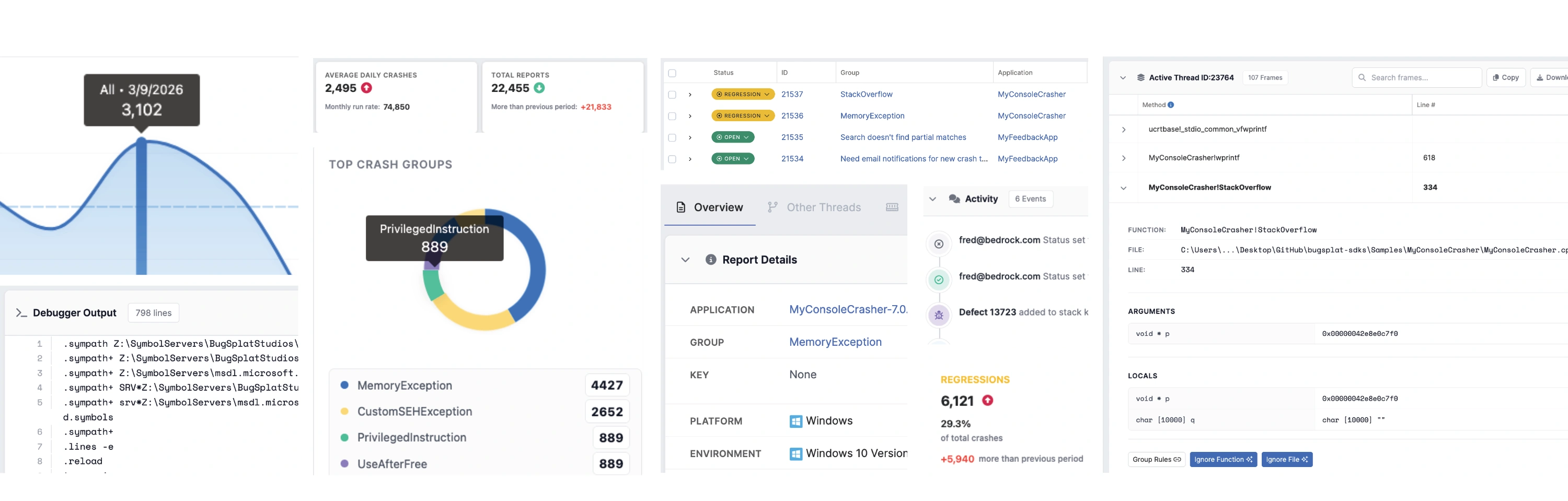
Crashes scatter across tools. Stack traces need manual symbolication. You're not sure which issue to fix first, or whether last week's fix actually held. It adds up to a lot of time not fixing things. BugSplat is built to remove that overhead.

Crash reporting
Smart grouping, deep context, and readable stack traces give you answers without noise or guesswork.
Explore crash reporting →
Error monitoring
Capture handled exceptions and non-fatal errors so issues don't disappear just because the software kept running.
Explore error reporting →
Release & stability monitoring
Track crashes and errors across versions, platforms, and environments to spot regressions early and ship with confidence.
Explore stability monitoring →Capture
If it broke, it's in your dashboard.
Crashes, handled exceptions, silent failures behind retries. BugSplat captures all of it automatically, with no extra instrumentation. The issues that usually disappear into support tickets show up here instead.
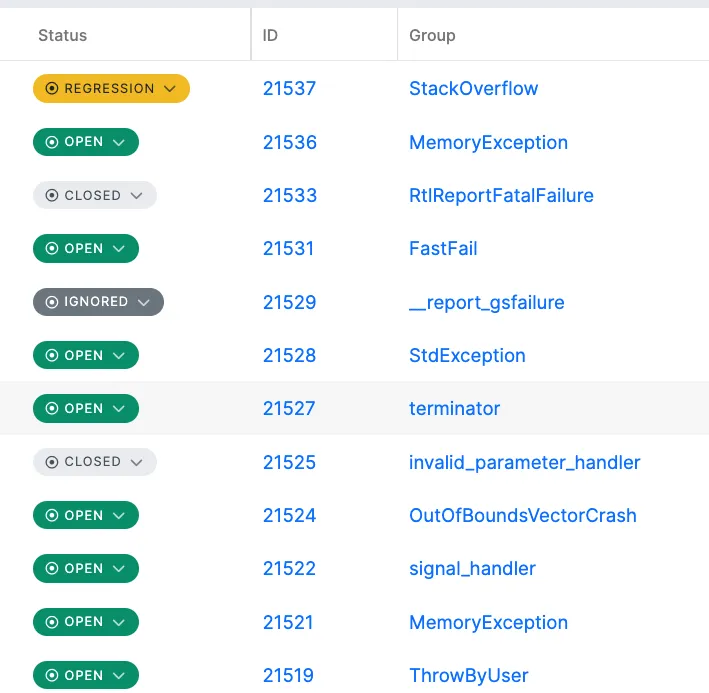
Detect crashes hidden behind retries or recoveries
Reduce support tickets before they happen
No extra instrumentation or dashboards to manage
Context
One crash report. Everything you need to debug it.
Full call stack, thread state, memory, OS, GPU, build version, and user impact. In one view. You don't need four other tools open to understand what happened.
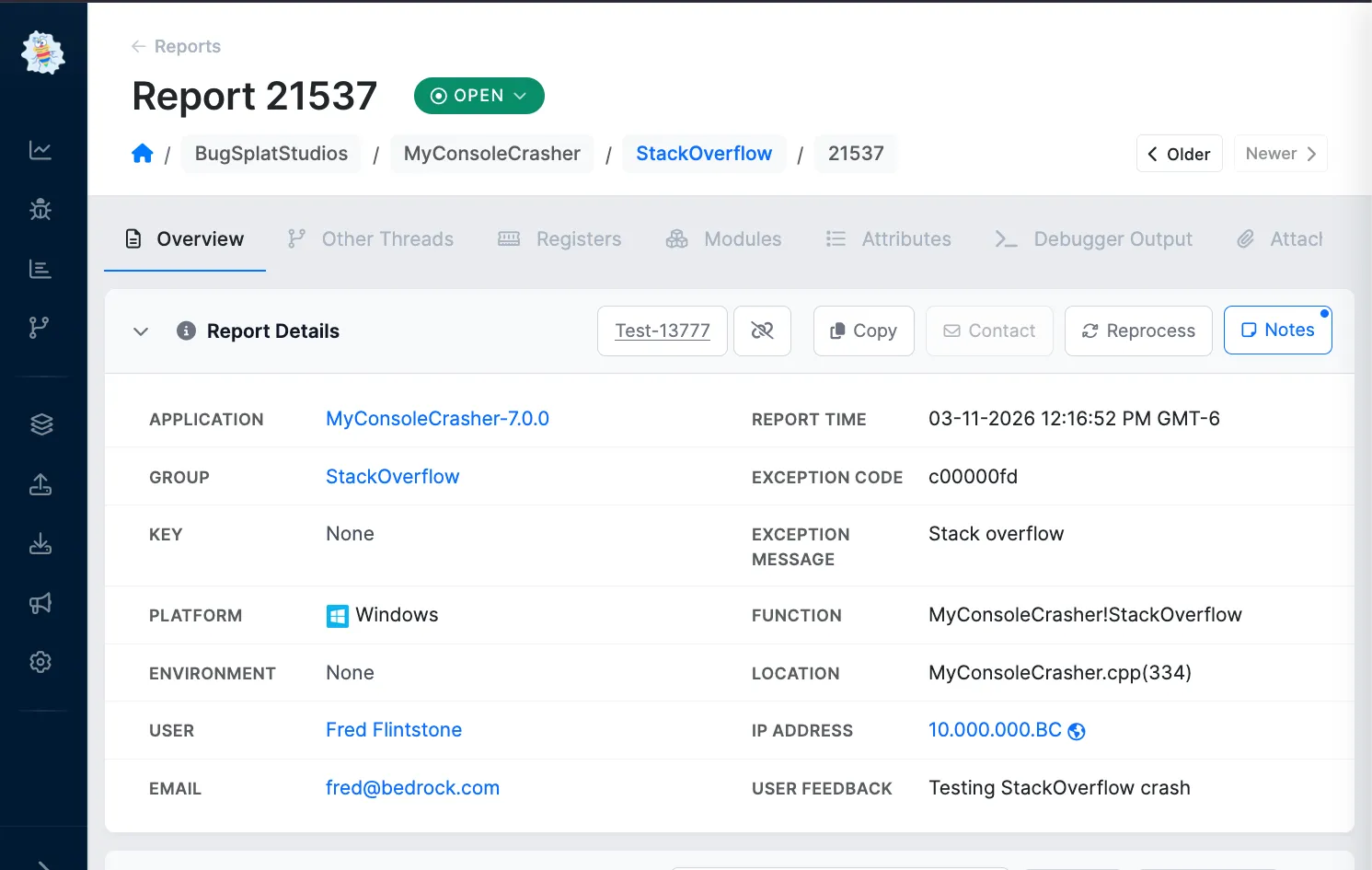
Full call stacks, threads, memory state, and system details
Readable symbolication with real function names and line numbers
Real crash data from real users, not reproductions
Prioritization
Fix the crash that matters most, not the one that arrived last.
Volume-weighted grouping puts the issues affecting the most users at the top. 10,000 reports might be 12 unique problems. BugSplat shows you the 12.
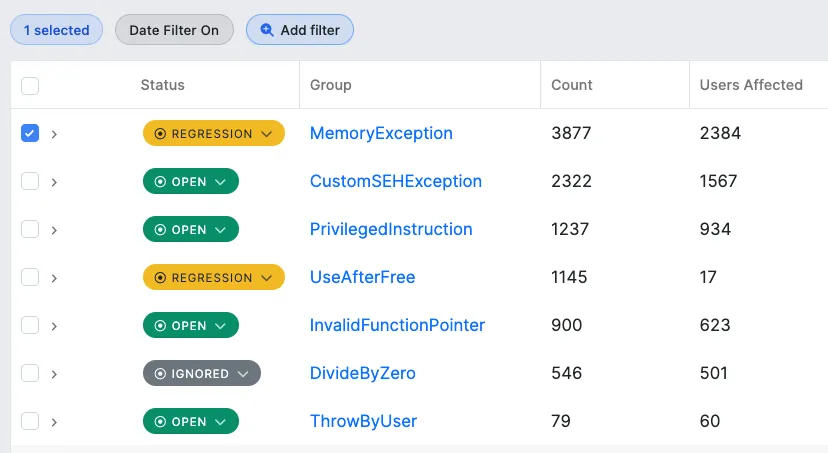
Know your real crash rate instead of estimating
Prioritize by impact, not just volume
One clear view, not a maze of filters


BugSplat isn't just a service provider. They're a true partner in our success.
Jason Antonacci
DevOps Engineer, SketchUp
Stability
Closing a ticket isn't the same as fixing a crash.
BugSplat tracks stability across every release. Regressions are flagged automatically. You know whether last Tuesday's deploy actually helped, without going looking for it.
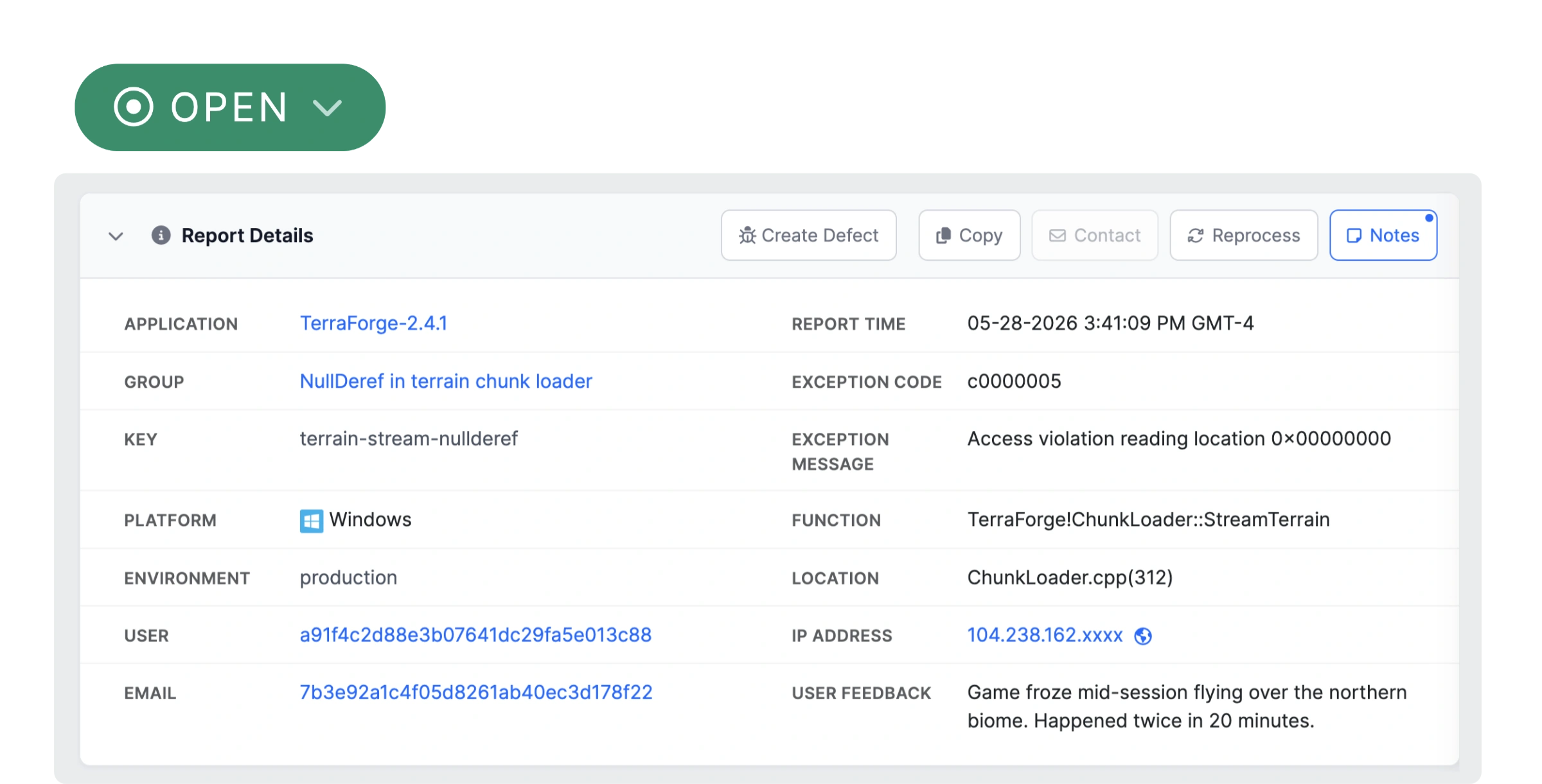
Track stability across versions and releases
Spot patterns before they become systemic
Measure progress, not just activity
Platforms & integrations
Built to meet you where you work
BugSplat supports your platforms and brings crash data directly into the tools your team already uses. Missing something? Let us know.
Every crash, one login
Desktop, mobile, web, consoles, and game engines. All behind one dashboard.


Direct integrations
Crash reports create tickets, notify channels, and trigger alerts automatically.








How fast will you see your first crash?
You can post a sample crash right now and see the dashboard in action before you've written a line of integration code. When you're ready to integrate for real, our team is there with you. Most developers are seeing live crashes the same day.
Web & JavaScript
JS, React, Node, Angular, Vue
Mobile
Android, iOS, Ionic
Game Engines
Unity, Unreal, CryEngine
Desktop & Native
C++, .NET, Qt, Python, Electron
Consoles
Xbox, PlayStation, Nintendo
Cross-Platform
Java, Deno, Crashpad
What's new
Always shipping. Here's what's fresh.
We build in the open and ship often. These are the newest additions to BugSplat, each one driven by real requests from teams using the product.
New Feature
User Feedback
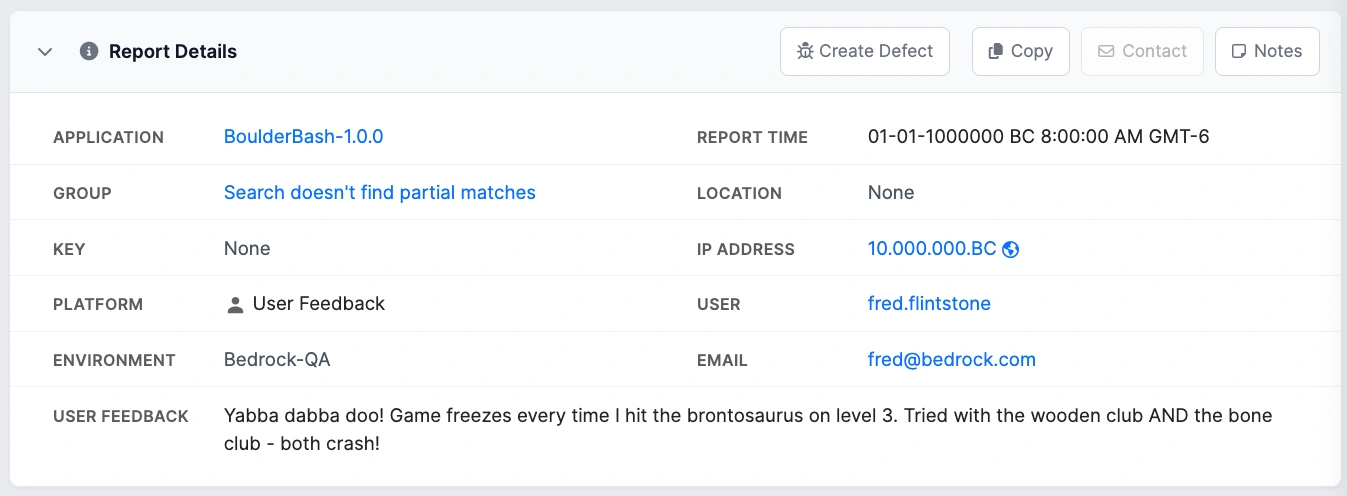
Not every issue crashes the app. Users hit bugs that frustrate them: broken flows, visual glitches, unexpected behavior. But the software keeps running. Those issues used to disappear into support tickets or, worse, go unreported entirely.
BugSplat's user feedback capture lets you collect bug reports directly from your app. Each submission lands in the same dashboard as your crash data, with the user's description, IP address, email, and any custom attributes you attach: OS, build number, environment, feature flags, locale, plan, team, region, priority, and more.
Attachments come along too. One place for everything that's going wrong, whether or not it throws an exception.
New Feature
Version Comparison
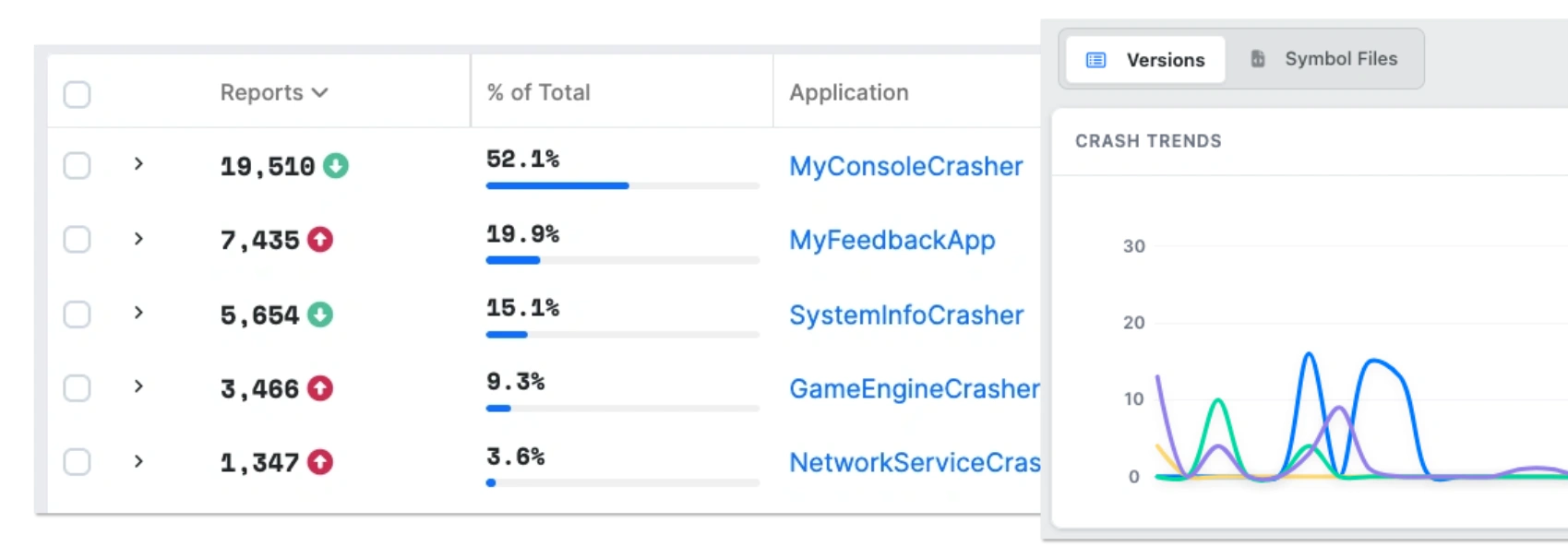
Shipping a fix without knowing if it worked is guesswork. Version comparison gives you a side-by-side view of crash rates across releases so you can see at a glance whether v2.4.1 is actually more stable than v2.4.0, or if you just introduced three new problems.
Choose a custom timeframe to see which versions accounted for what percentage of your crashes. Use the charting tool to tell the difference between a trend and a spike. Then bring that data to standups, sprint reviews, or release sign-offs so "are we getting better?" has an actual answer.
New Feature
BugSplat for your AI assistant
Stop alt-tabbing between your IDE and a crash dashboard. The BugSplat MCP server lets Cursor, Claude Desktop, and other MCP-compatible tools pull your crashes, stack traces, attachments, and even file defects, all from the editor.
It's an early experiment, not a polished product. Bobby wrote up where it stands and where we're taking it next.
Everything you need to debug. Nothing you don't.
Clear crash data, a UI built for debugging, and workflows that scale to your team.
Capture everything clearly
Simple symbolication
Clean stack traces with real function names and line numbers. Upload symbols once or sync directly from S3 and external stores.
Full crash dumps
Go deeper when you need to. Capture full memory dumps for the bugs that refuse to explain themselves.
Rich visual context
See what users saw. Attach screenshots or video to understand crashes without guesswork.
Custom file attachments
Logs, configs, and diagnostics live right on the crash report. Preview files instantly, no downloads required.
Understand what's actually happening
Smart crash grouping
Duplicates handled automatically. Focus on unique crashes, not endless copies of the same stack trace.
Smarter crash grouping
Tell BugSplat which stack frames matter and which to ignore. Crashes get grouped by the function, module, or file you actually care about, so OS and runtime noise stops drowning out the real bugs.
Custom attributes
Attach the data that matters. GPU state, user actions, feature flags, or anything else. Fully searchable, zero friction.
Find patterns and measure progress
Search, filter, and query
Build queries across any field: version, user, IP, stack function, custom attributes your SDK uploads, or date ranges. Filter and group results in the dashboard, share links with your team, or hit the API directly.
Flexible group by
Slice crash data by OS, version, hardware, or custom fields to uncover patterns hiding in plain sight.
Version comparison
Compare releases to see if stability is improving. Understand what's new, what's fixed, and what's regressing over time.
Smart regression detection
Know when a fixed bug comes back. See exactly what percentage of a release is new crashes, regressions, or previously fixed issues.
See what matters now
Stability dashboard
Crash rate, top issues, regression status, and version health. One view, no digging.
Release-over-release charting
Compare releases and track crashes over time. See stability trends, top issues in a version, and how new crashes compare to regressions.
Act automatically
Automatic issue creation
Create tickets when new crashes appear, volumes spike, or regressions return. Fully customizable and predictable.
Bi-directional issue tracking
Crash reports and Jira tickets stay in sync. Update once, reflected everywhere.
Talk directly with your users
Use our Custom Support Response to guide users to updates or fixes the moment they hit a known issue. No manual follow-up required.
Collaborate and stay organized
Crash metadata & annotations
Attach anything that adds context. Add notes, custom metadata, or API-driven annotations directly to crash reports so important details never get lost.
Crash assignment & status
Assign crashes, discuss fixes, and track status directly on the report. Keep ownership, progress, and decisions visible without bouncing between tools.
Built for real-world use
Serious about security
SOC 2 Type II and GDPR compliant. Modern security practices, no shortcuts.
Dark mode
Light, dark, or system-synced. Easy on the eyes during long debugging sessions.
Small team. Direct access. No runaround.
When things break in production, you're not handed off to support. You talk directly with the same small, experienced team that builds and runs BugSplat.

Using BugSplat to Fix What Matters Most
At Tantalus, BugSplat gives their team immediate visibility into critical player issues, helping them catch more bugs while spending less time fixing them.

Push a Button Instead of Hunting Down Logs
When crashes happen at Disruptive Games, their team doesn't panic - they check BugSplat's dashboard that collects everything automatically and gets them back on course building amazing games.

Building Stable Software Faster with BugSplat
SketchUp uses BugSplat to automate crash reporting and now their team catches issues before users do, with custom solutions their engineer called "essential to our success."
Not seeing what you need?
If it's not covered in our documentation and it matters to your workflow, reach out and let us know. We read every feature request that lands in our inbox. Most of what's in BugSplat today started as one.
-The BugSplat Team



Check our product roadmap to see what features are coming next or reach out to our team with your specific requirements.
Spend less time chasing crashes.
Clear reports, root-cause grouping, and version-by-version stability monitoring. Questions go to the people who built it..
14-day trial · No credit card · SOC 2 Type II · GDPR compliant · See crashes your today