
How it works
When something breaks, you shouldn't have to become a detective.
Capture every crash. Group by root cause. Ship the fix. Five steps, and you know your software is stable.
No credit card · 14-day trial
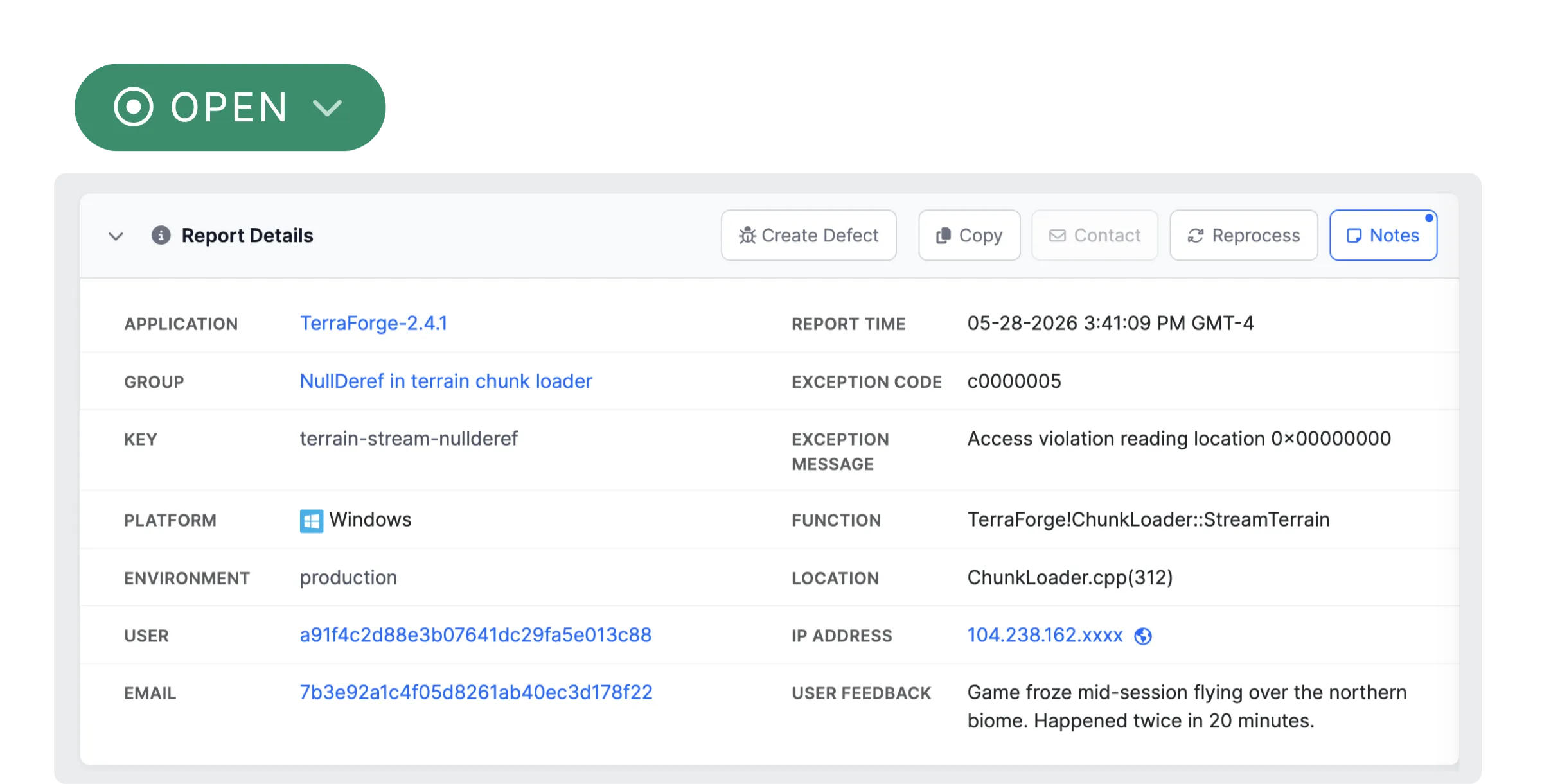
Something breaks. You know immediately.
Most teams find out about crashes one of two ways: a user complains, or someone happens to check a log. Both are too late.
BugSplat captures crashes the moment they happen. Full stack traces, thread state, memory context, environment details. Desktop apps, mobile, web, game consoles. It all shows up in one dashboard.
No manual log parsing. No "can you try to reproduce that?" No waiting for angry emails.
- Crashes surface immediately, no waiting for user reports
- Symbols resolved automatically from the start
- Desktop, mobile, web, consoles: one source of truth
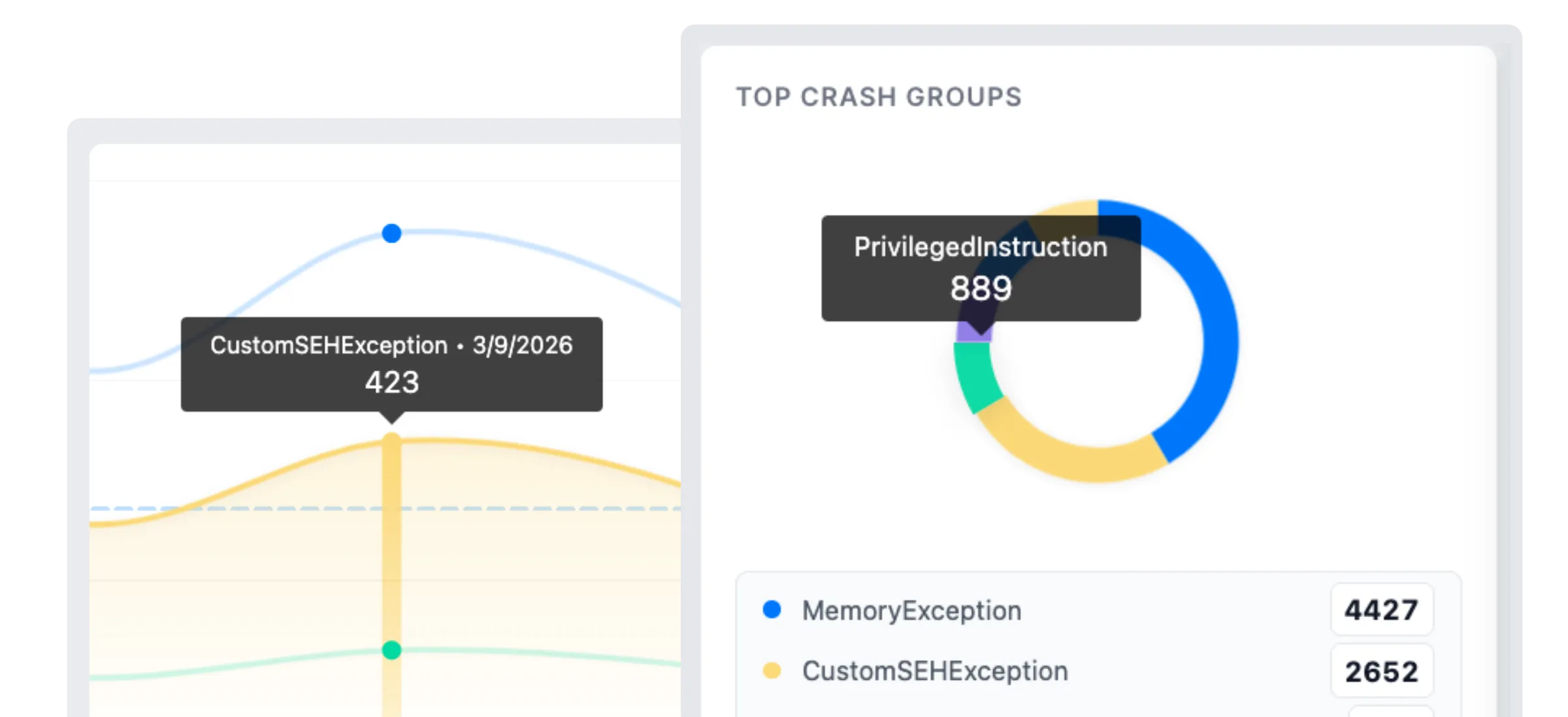
Ten thousand crashes. Twelve actual problems.
Raw crash counts are noise. Your inbox fills with reports, and they all look urgent. They're not.
BugSplat groups related crashes by root cause automatically, then sorts by user impact. That "critical" crash hitting 3 users? It goes below the one quietly affecting 2,000.
You see what matters first. Not what's loudest.
- 10,000 reports might be 12 unique issues. Grouping shows you the 12
- Sort by user impact, not noise
- Automatic de-duplication across versions and platforms
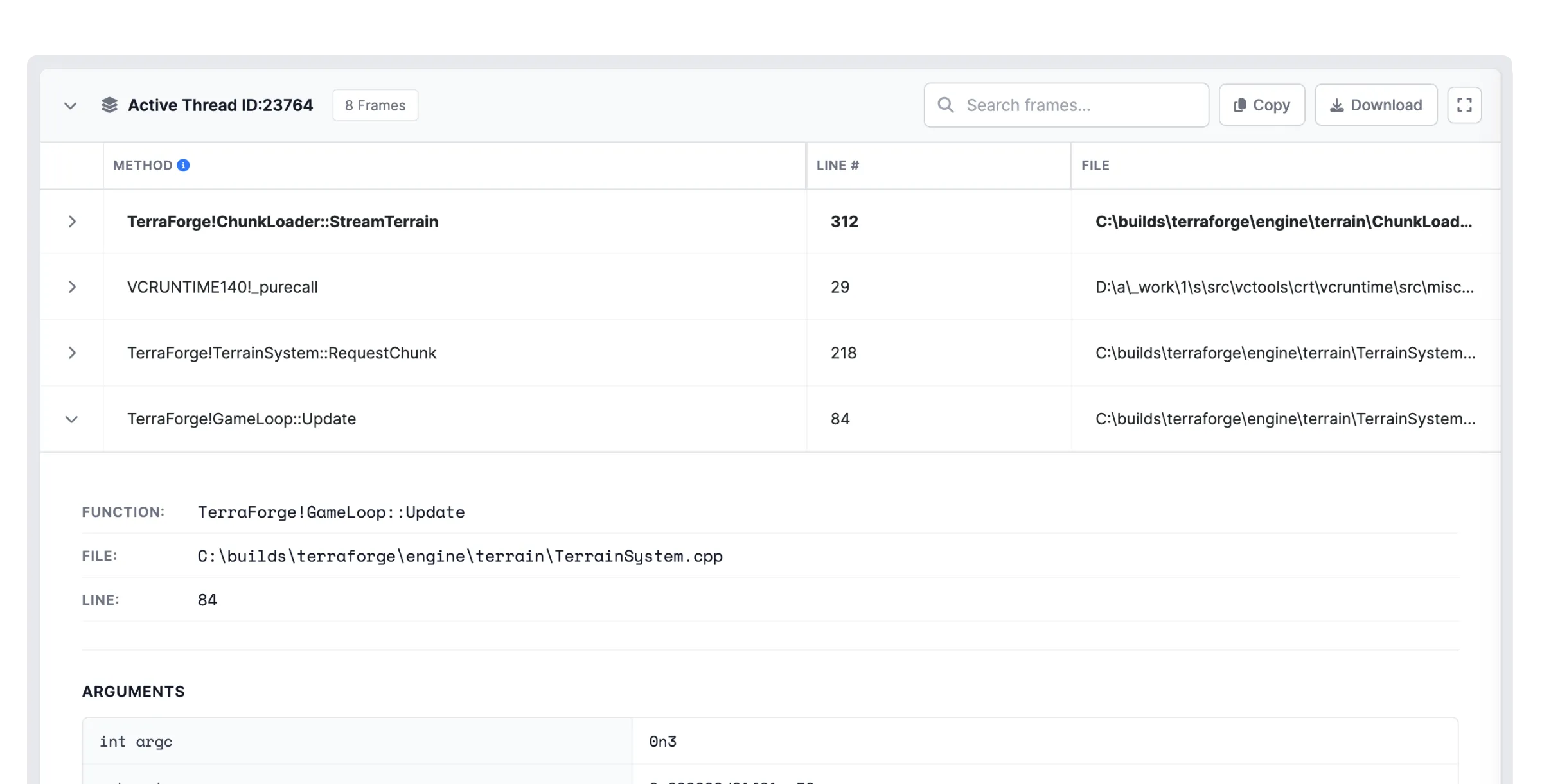
From stack trace to "oh, I see it."
Symbolicated function names. Line numbers. Thread state. OS version, GPU, build number, user actions leading up to the crash.
Everything you need to understand the problem without reproducing it. Because recreating a crash that only happens on AMD GPUs running Windows 11 with a specific driver version... that's not debugging. That's archaeology.
BugSplat gives you the context to skip straight to the fix.
- Readable function names and line numbers, not memory addresses
- OS, GPU, build version, user actions: full context in one view
- Grouped by root cause so you fix the problem, not the symptom
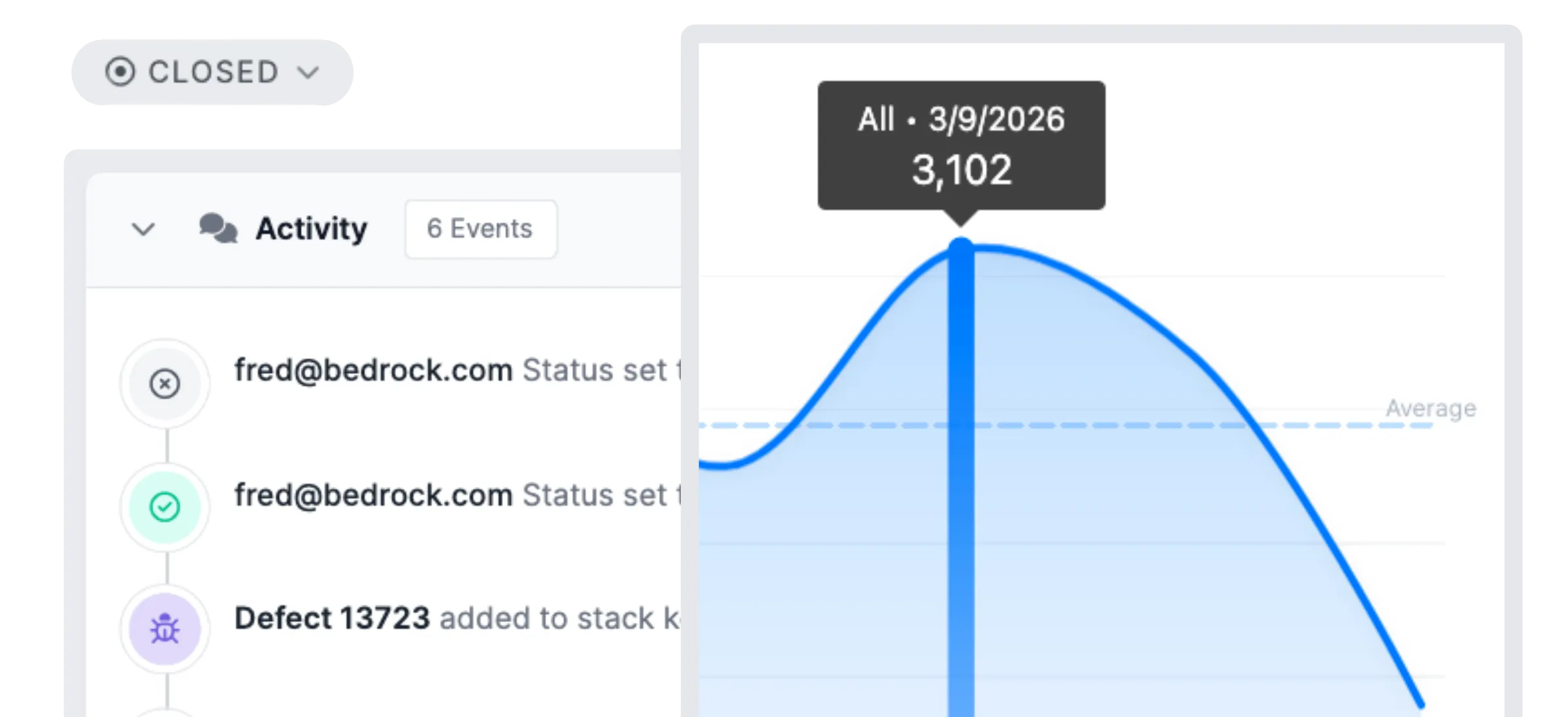
Ship it. Then prove it worked.
Fix the bug. Push the release. BugSplat shows you if the crash rate dropped.
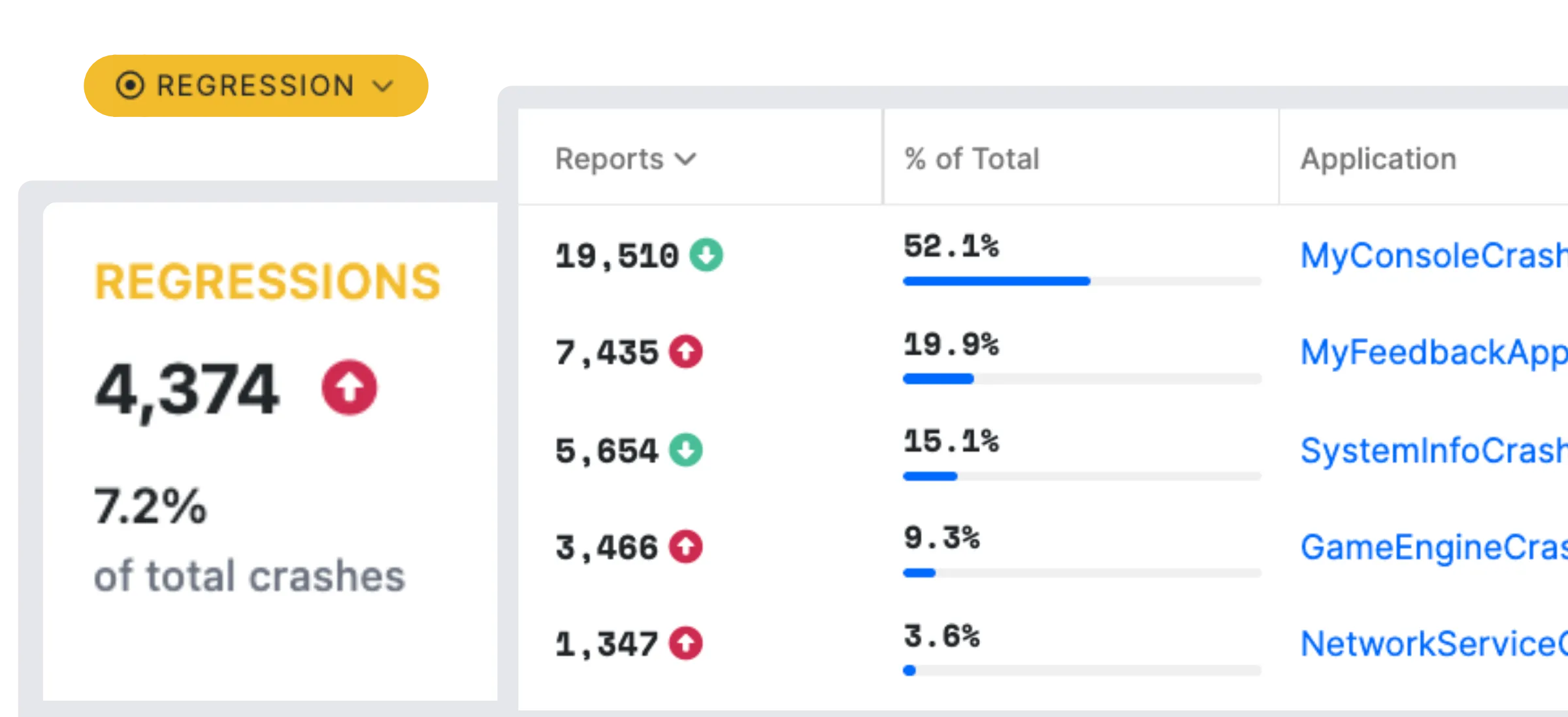
If it didn't, or if something new cropped up, you'll know before your users do. Regression detection isn't a premium add-on. It's how crash reporting should work.
Every release should be more stable than the last. Now you can prove it.
- Stability trends across releases, not just raw counts
- Regressions flagged before they reach more users
- Know when it's safe to ship
Stay ahead of the next one.
You fixed the crash. Great. But software doesn't stop breaking.
Alerts hit Slack, Discord, or Teams the moment something spikes. Daily and weekly digests land in your inbox with the highlights. Version-over-version analytics show whether things are getting better or worse.
This isn't about watching dashboards all day. It's about knowing, without checking, that your software is stable. And when it isn't, knowing exactly where to look.
- Alerts to Slack, Discord, Teams, or email when crash rates spike
- Daily and weekly reports with the highlights that matter
- Version analysis: historical trends, release-over-release comparison
- Regression analysis: automatically flags issues that appeared in previous versions so you prioritize bugs that keep coming back
- Know if you're getting better or worse, version to version
That's the whole thing.
No forty-page setup guide. No month-long integration project. Add a few lines of code. See your crashes. Fix them. Ship better software.
Docs
Getting started
Pick your platform, add a few lines, and see your first crash in minutes.
Read the docs →Product
Features
Grouping, stack traces, alerts, integrations, version tracking, and more.
Explore features →Plans
Pricing
Flat rates, unlimited users, no per-seat fees. Free tier included.
See plans →Team
About us
Bootstrapped since 2005. Three founders, real support, no ticket queues.
Meet the team →








Add BugSplat to your project
14-day trial. Full access. No credit card.
SOC 2 Type II · GDPR compliant · Used by Microsoft, Quicken, SEGA, SketchUp